One recurring feedback I received over the last months has been the difficulty for bloggers to see the deadline for their posts, and the rules for a specific store. EasyBloggers have a global view, where you see every stores at once for every pages, which prevent to focus on a store.
Starting today, bloggers and friends can now have a dedicated view for stores, with a new redesigned dashboard.
A new dashboard for bloggers
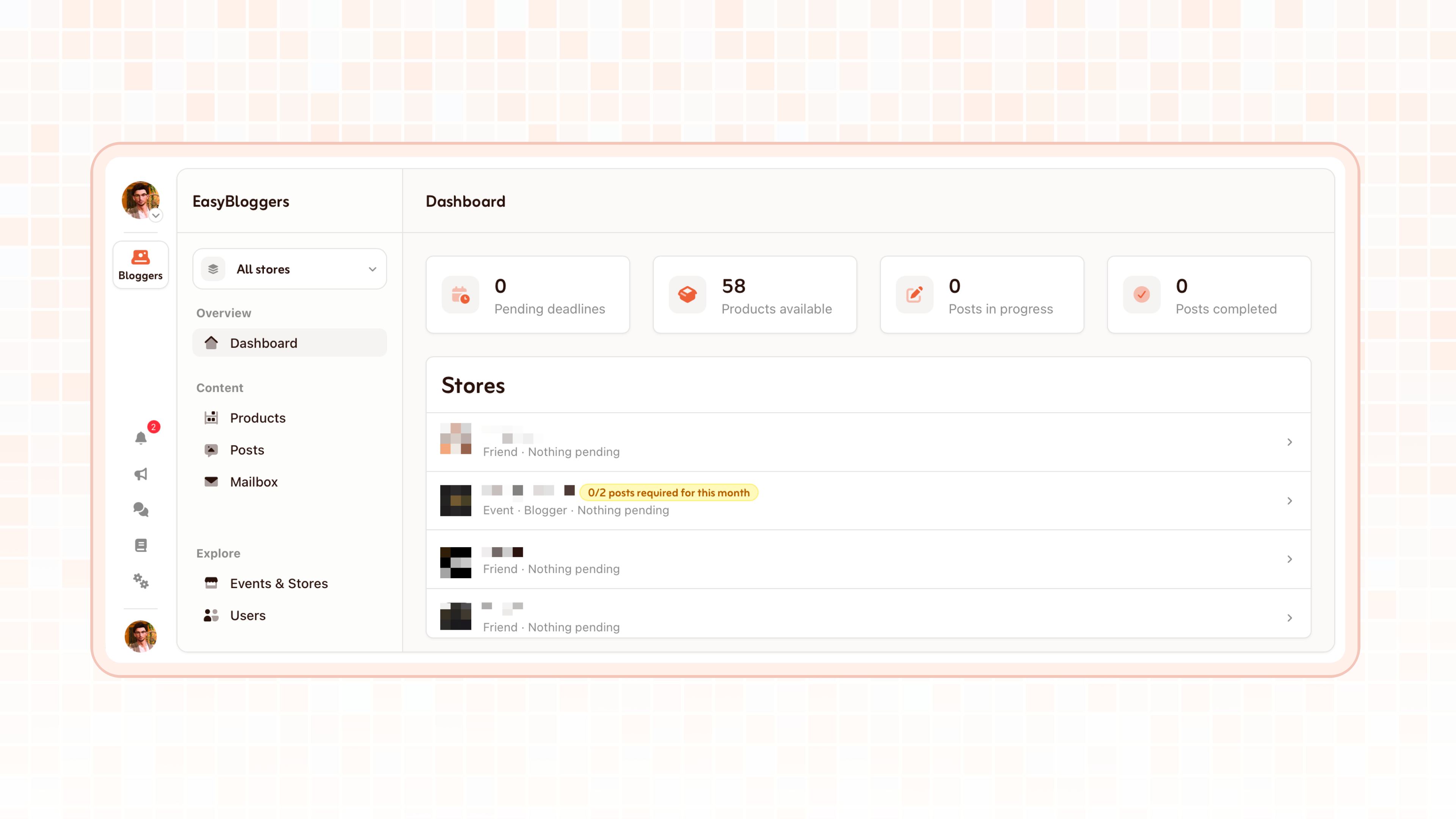
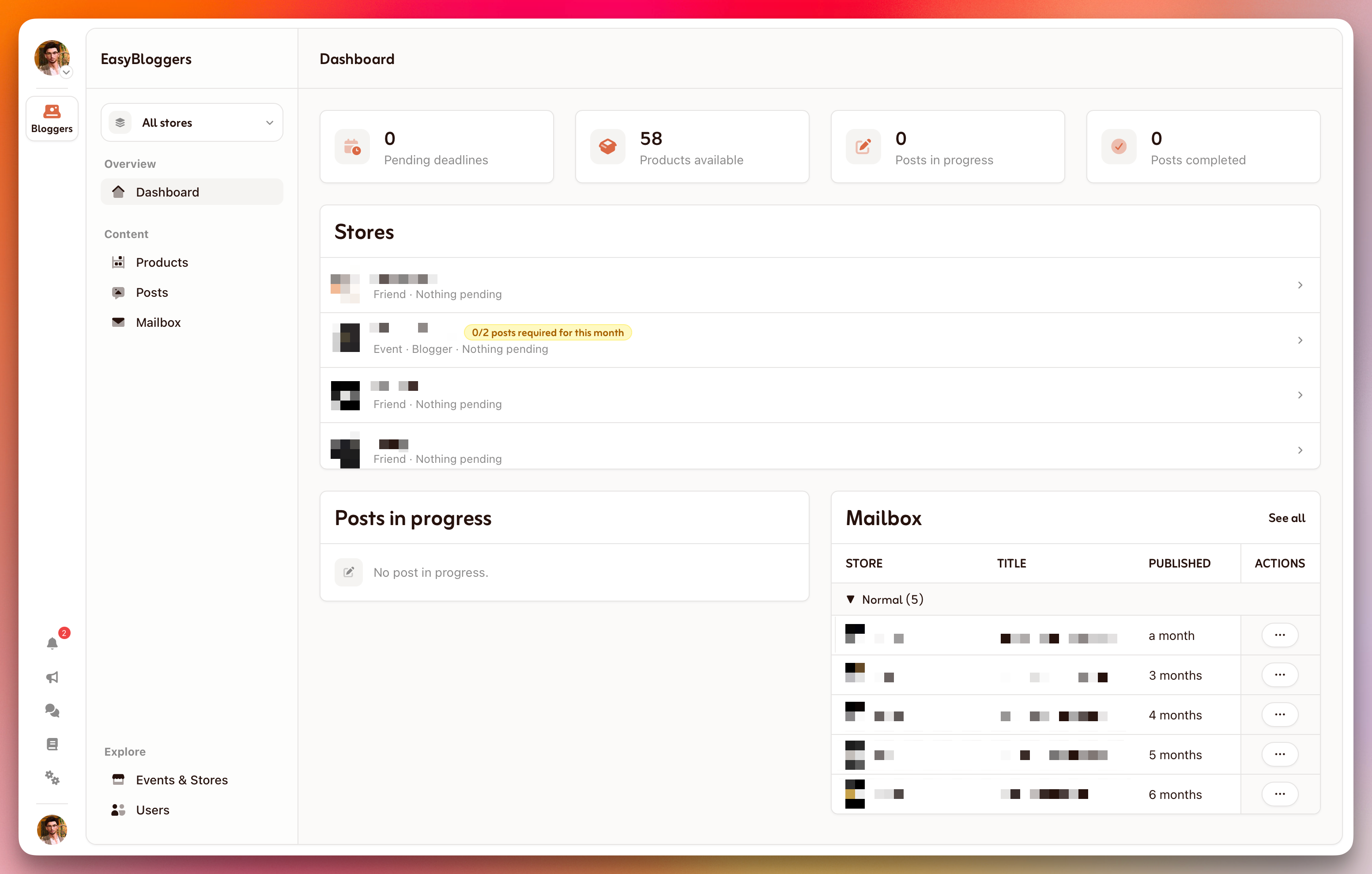
At the top of the sidebar, the store selector shows which store you are looking at. Choose All stores to see everything you blog for at once, or pick one store to focus on it. Every page of the blogger area (Dashboard, Products, Posts and Mailbox) follows that choice.
For a quick glance, four figures are on the top:
Pending deadlines: open posts that have a deadline, including the ones already missed.
Products available: total products you can request right now.
Posts in progress: every post that is not closed yet, whether it is in progress, waiting for review, needing updates or past its deadline.
Posts completed: posts that were accepted.
A new dashboard, for creators and managers
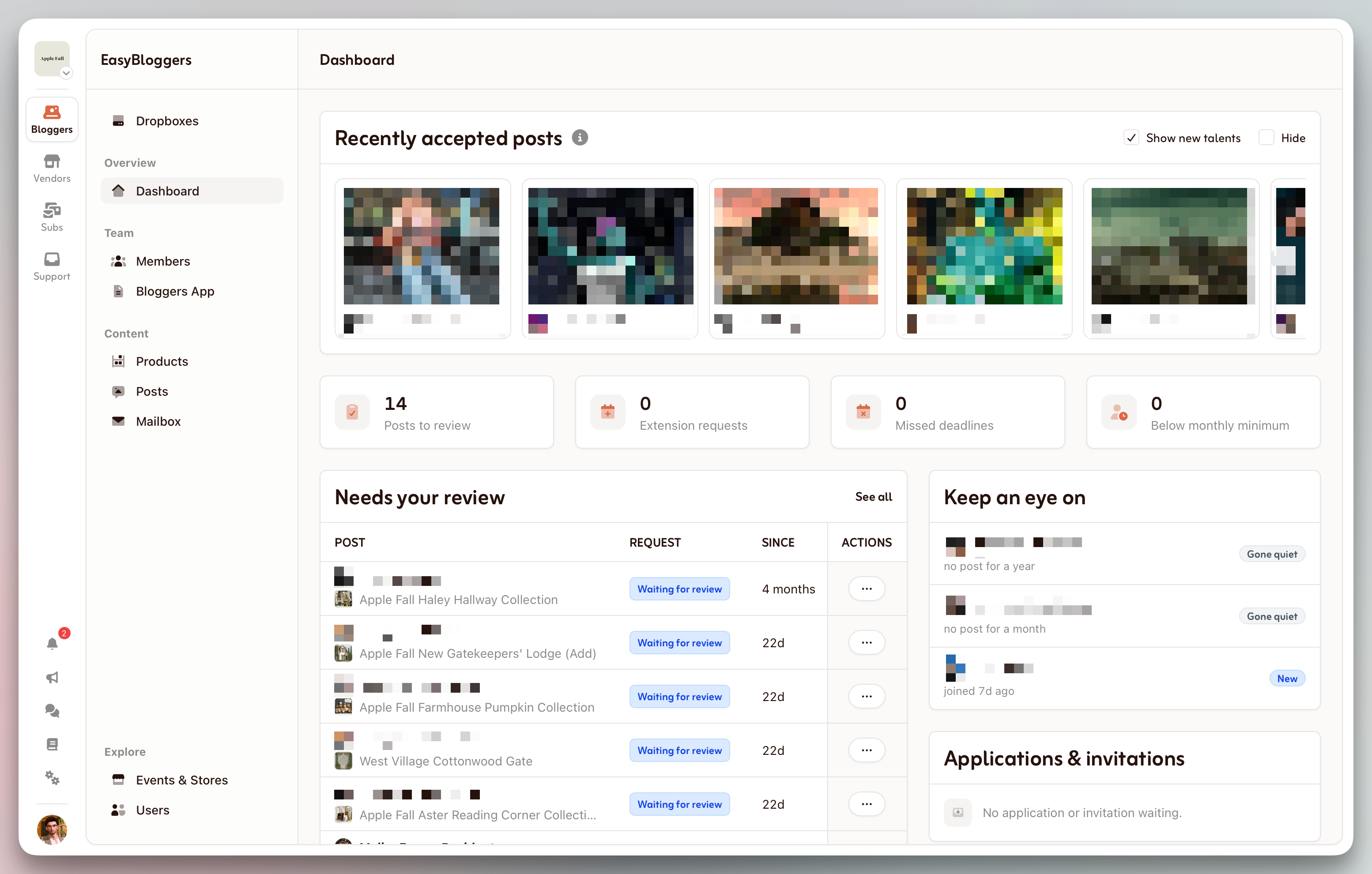
Stores owners and managers also benefits from this update. Their dashboard has been updated to display important things to monitor:
On top of the that, to inspire you, a small carousel, Recently accepted posts, shows the latest accepted posts from your bloggers. Note that only the posts hosted on Primfeed will show here.
An option is available to Show the recently accepted posts from outside of your team to discover new talent, as well as a Hide option.
Thank you as always to send your feedback, this greatly help understand your needs. Thank you for being part of the community. 💞