Create a SmartBots bot
Written By Luke Rowley
Last updated 5 months ago
If you already have a model bot on SmartBots running, you can skip this step and go to Setting up your bot.
Create your first SmartBots bot
On your Smartbots dashboard, click the button Create personal bot.
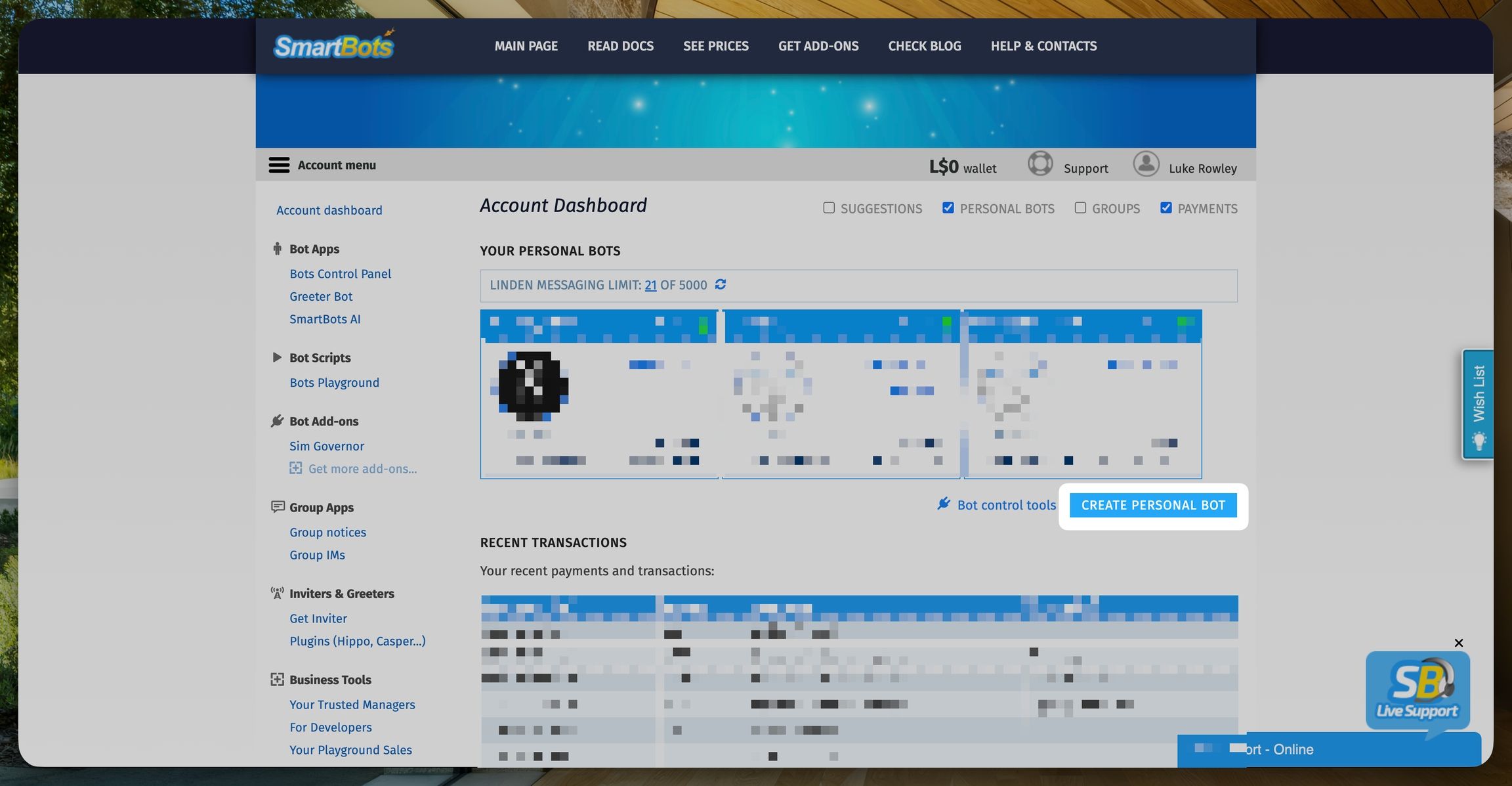
After that, it will ask you the bot type. For EasySupport and if you don't plan to use, choosing the Model bot is enough. You can see the pricing and other information about Standard and Model bot here.
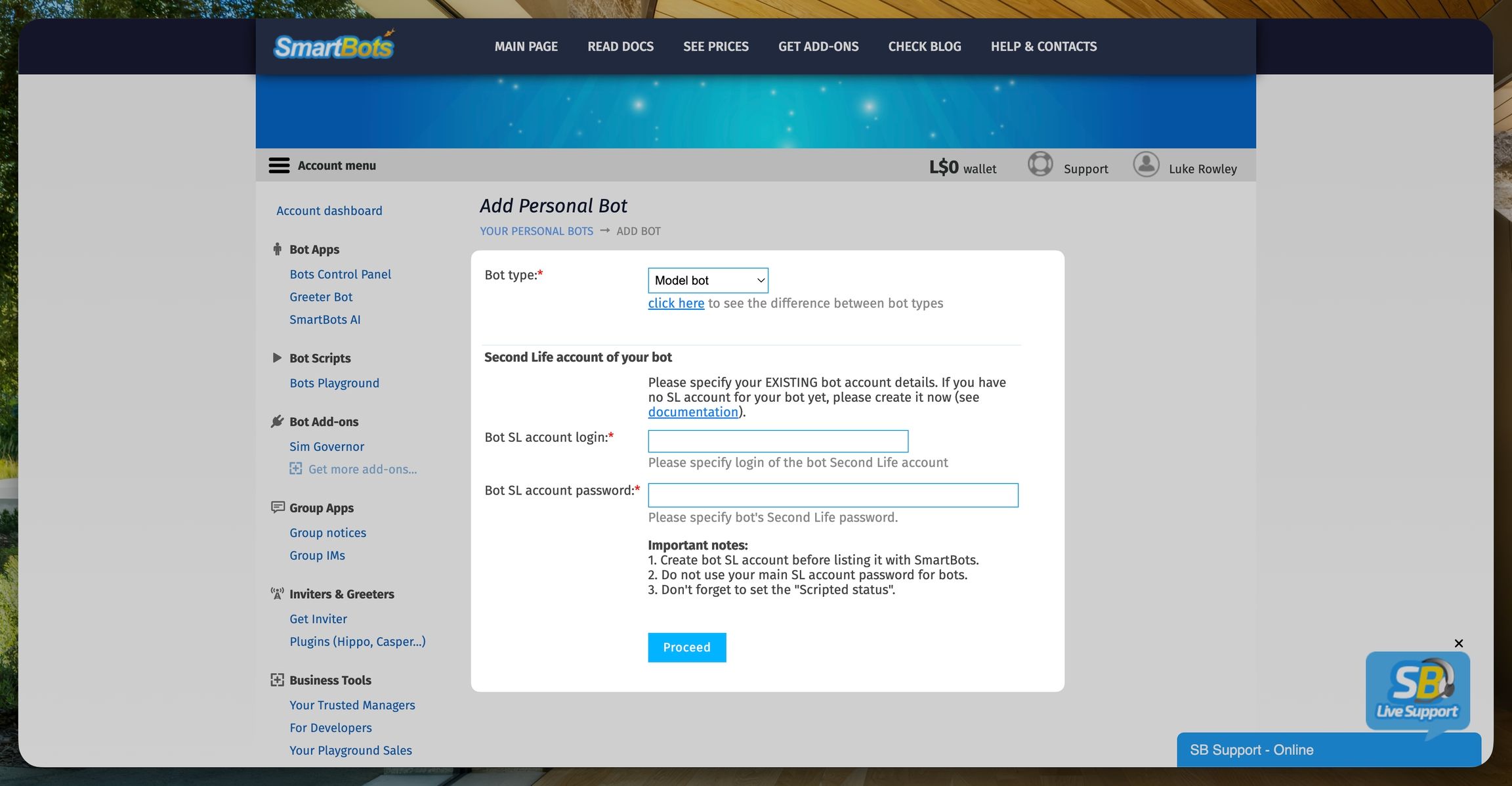
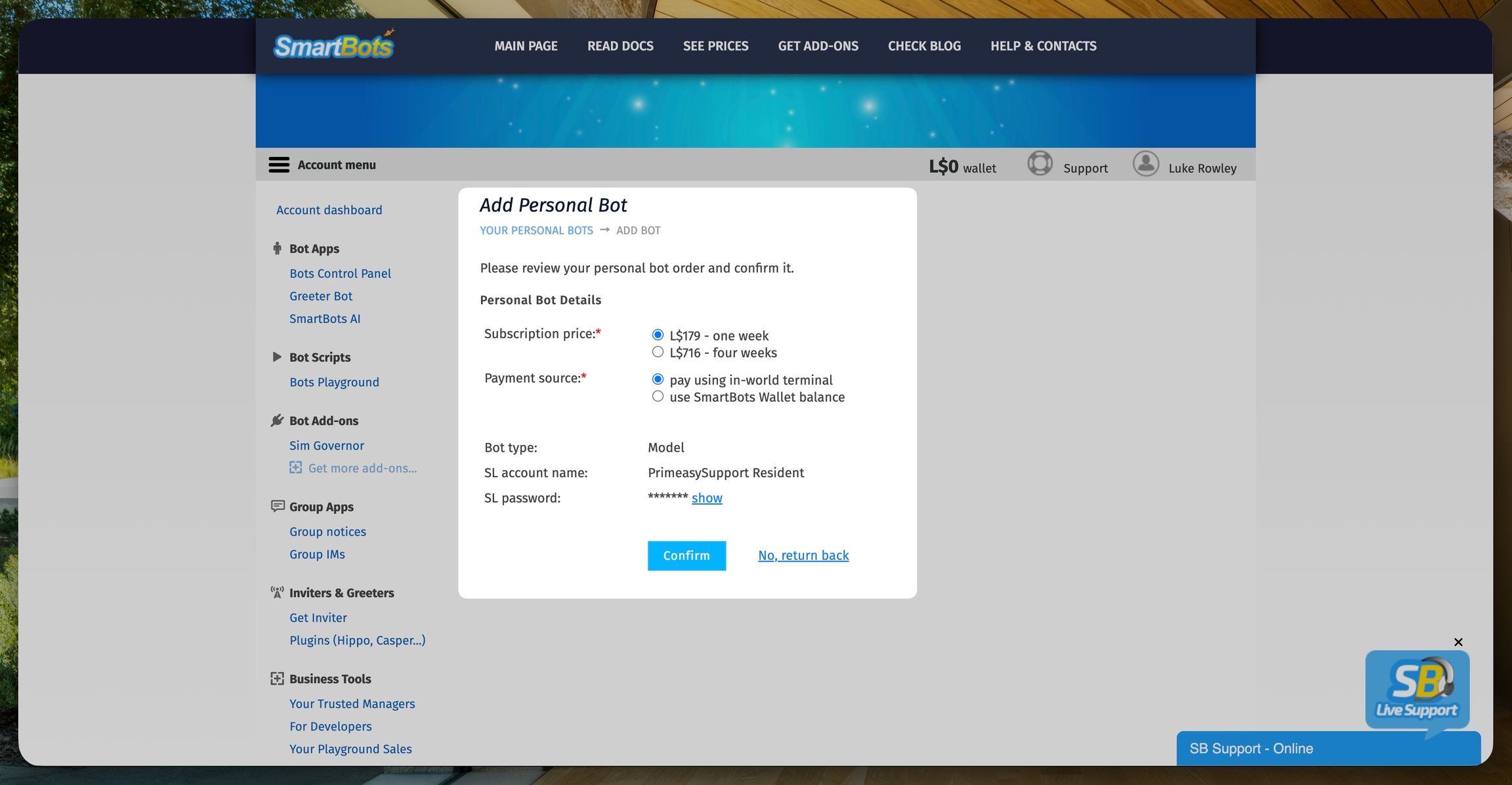
Click Confirm and your bot is now created. To activate it, you need to make the first payment.
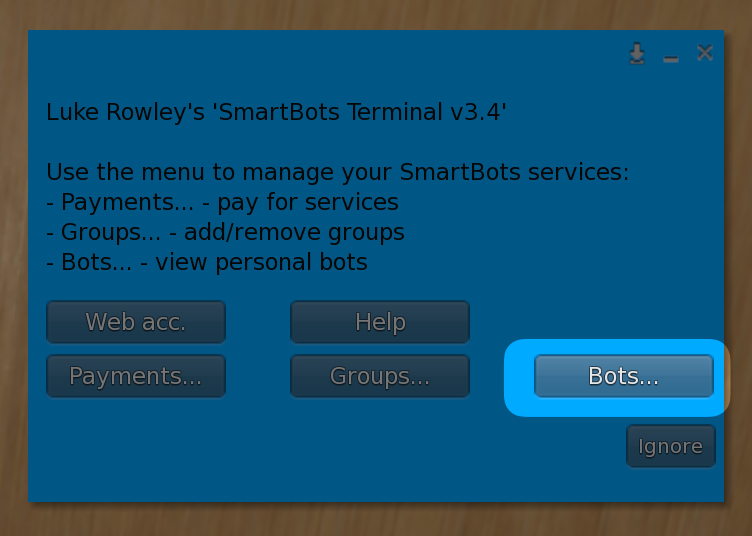
Visit http://maps.secondlife.com/secondlife/Printemps/64/46/28 and click the SmartBots terminal.
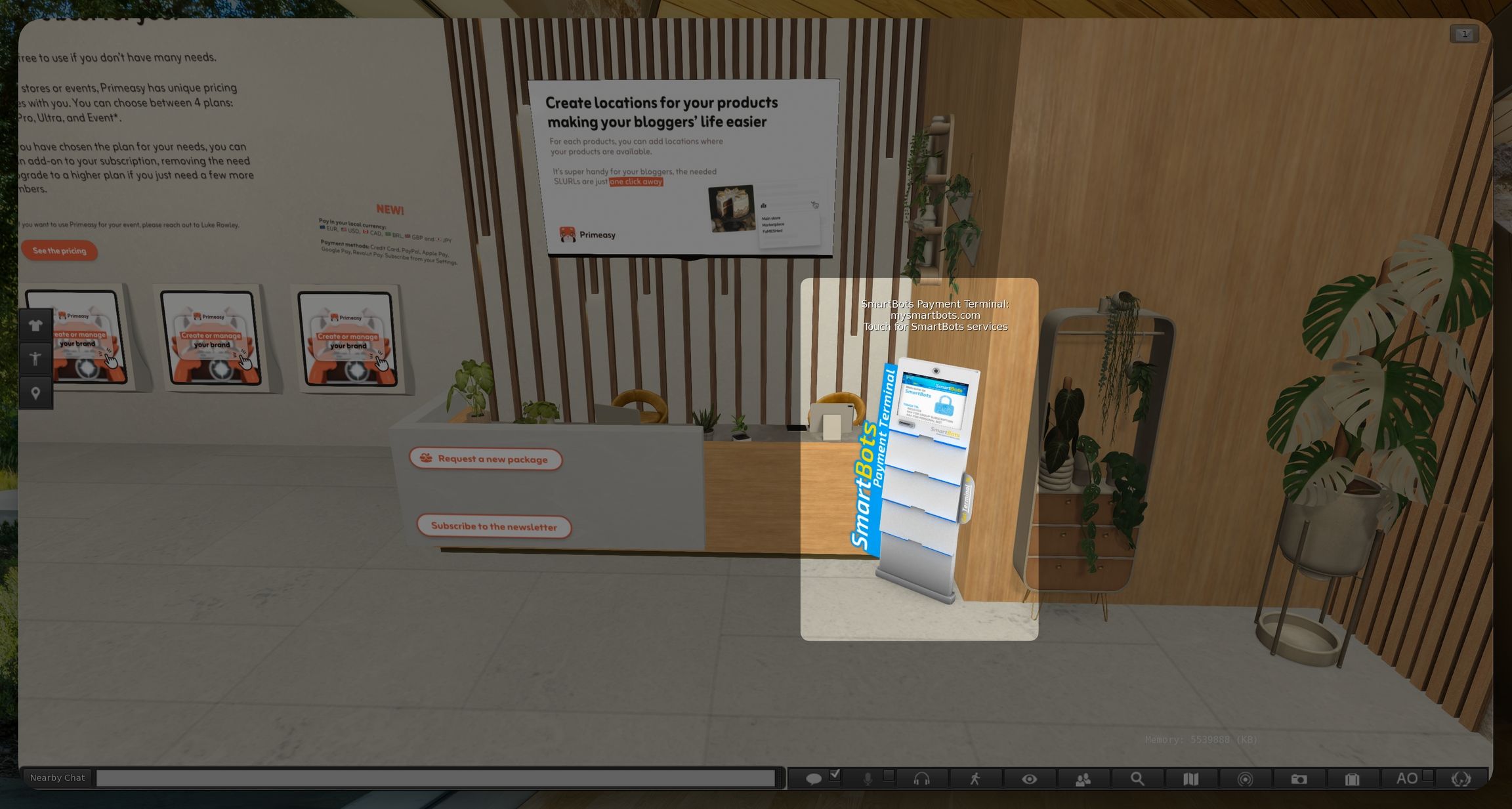
Then select Bots and follow the instructions.
Once you have make the first payment, your bot is activated and it's now time to setup the bot on EasySupport.